

[ITIMG] 동적 SVG 생성 기능 안내
 Moon
Moon- 2026-01-13 12:49:52
- 조회수1,467
안녕하세요 LUNATALK 입니다.
저희가 서비스 하고 있는 외부 이미지 호스팅 서비스 itimg.kr에 새로운 기능이 추가되어 안내 드립니다.
URL 파라미터를 통해 값이 변경되는 SVG 이미지를 생성할 수 있습니다.
사용 방법
대시보드에서 "SVG 생성" 버튼 클릭

SVG 코드 입력 - {{변수명}} 형식으로 동적 변수 지정
변수 등록 - 변수명과 기본값 설정
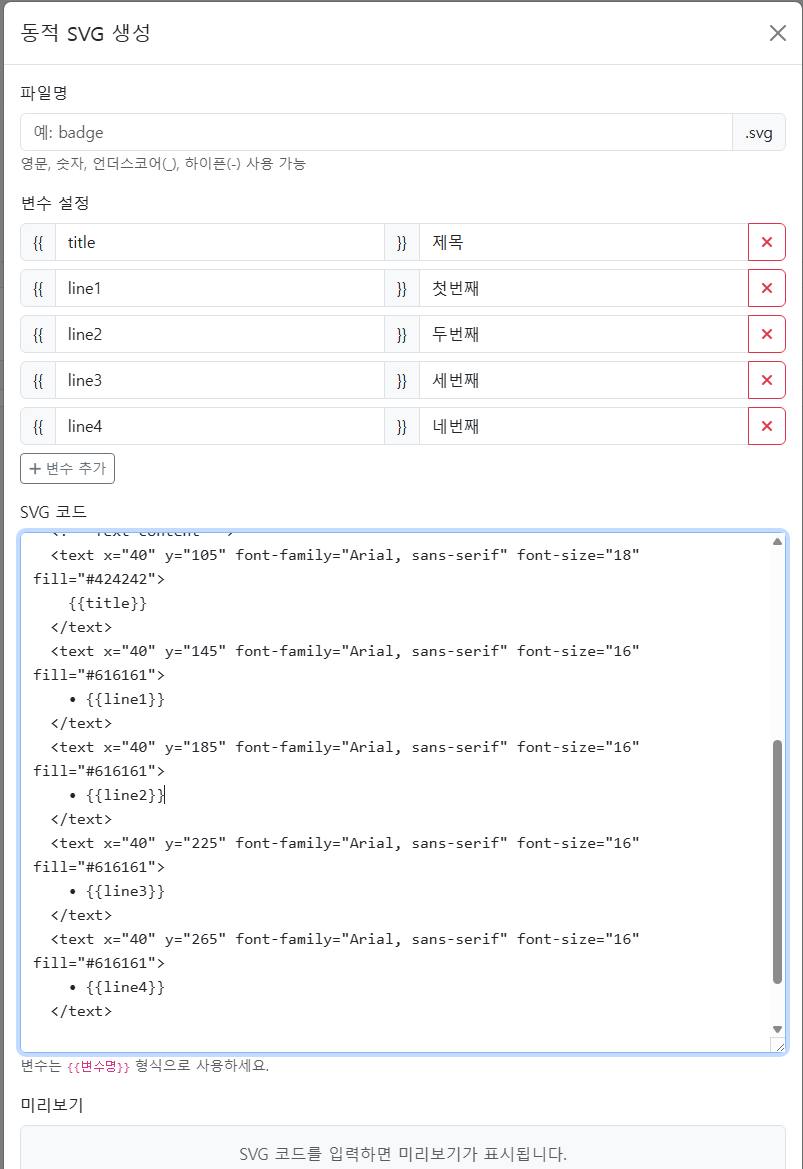
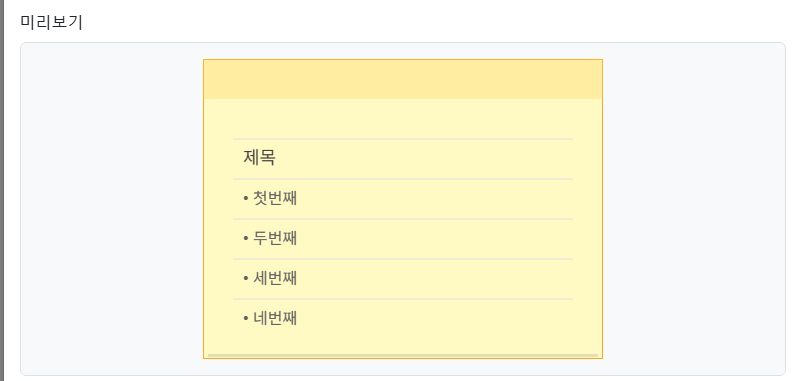
저장 후 URL으로 외부 이미지 불러오시듯이 사용하시면 됩니다!
URL 형식
https://itimg.kr/회원번호/파일명.svg?변수명=값
예시:
https://itimg.kr/1/badge.svg?title=제목&line1=내용&line2=내용.....
SVG 코드 예시 (메모장)
<svg xmlns="http://www.w3.org/2000/svg" viewBox="0 0 400 300" width="400" height="300">
<!-- Background - sticky note style -->
<rect width="400" height="300" fill="#FFF9C4" stroke="#F9A825" stroke-width="2"/>
<!-- Top strip to mimic sticky note -->
<rect width="400" height="40" fill="#FFD54F" opacity="0.3"/>
<!-- Lines on the memo -->
<line x1="30" y1="80" x2="370" y2="80" stroke="#E0E0E0" stroke-width="1"/>
<line x1="30" y1="120" x2="370" y2="120" stroke="#E0E0E0" stroke-width="1"/>
<line x1="30" y1="160" x2="370" y2="160" stroke="#E0E0E0" stroke-width="1"/>
<line x1="30" y1="200" x2="370" y2="200" stroke="#E0E0E0" stroke-width="1"/>
<line x1="30" y1="240" x2="370" y2="240" stroke="#E0E0E0" stroke-width="1"/>
<!-- Text content -->
<text x="40" y="105" font-family="Arial, sans-serif" font-size="18" fill="#424242">
{{title}}
</text>
<text x="40" y="145" font-family="Arial, sans-serif" font-size="16" fill="#616161">
• {{line1}}
</text>
<text x="40" y="185" font-family="Arial, sans-serif" font-size="16" fill="#616161">
• {{line2}}
</text>
<text x="40" y="225" font-family="Arial, sans-serif" font-size="16" fill="#616161">
• {{line3}}
</text>
<text x="40" y="265" font-family="Arial, sans-serif" font-size="16" fill="#616161">
• {{line4}}
</text>
<!-- Small shadow effect at bottom -->
<rect x="5" y="295" width="390" height="3" fill="#000" opacity="0.1"/>
</svg>
이용 안내
해당 기능은 유료 회원 전용 기능입니다
Pro(5GB) 또는 Premium(10GB) 요금제 결제 후 이용 가능 하오니 이용에 참고 부탁드립니다.
감사합니다!
- 이전글 자동로그인 설정 관련 에러 패치 안내
- 다음글 서버 복구 안내